Sheet music, worksheets, recordings — one library
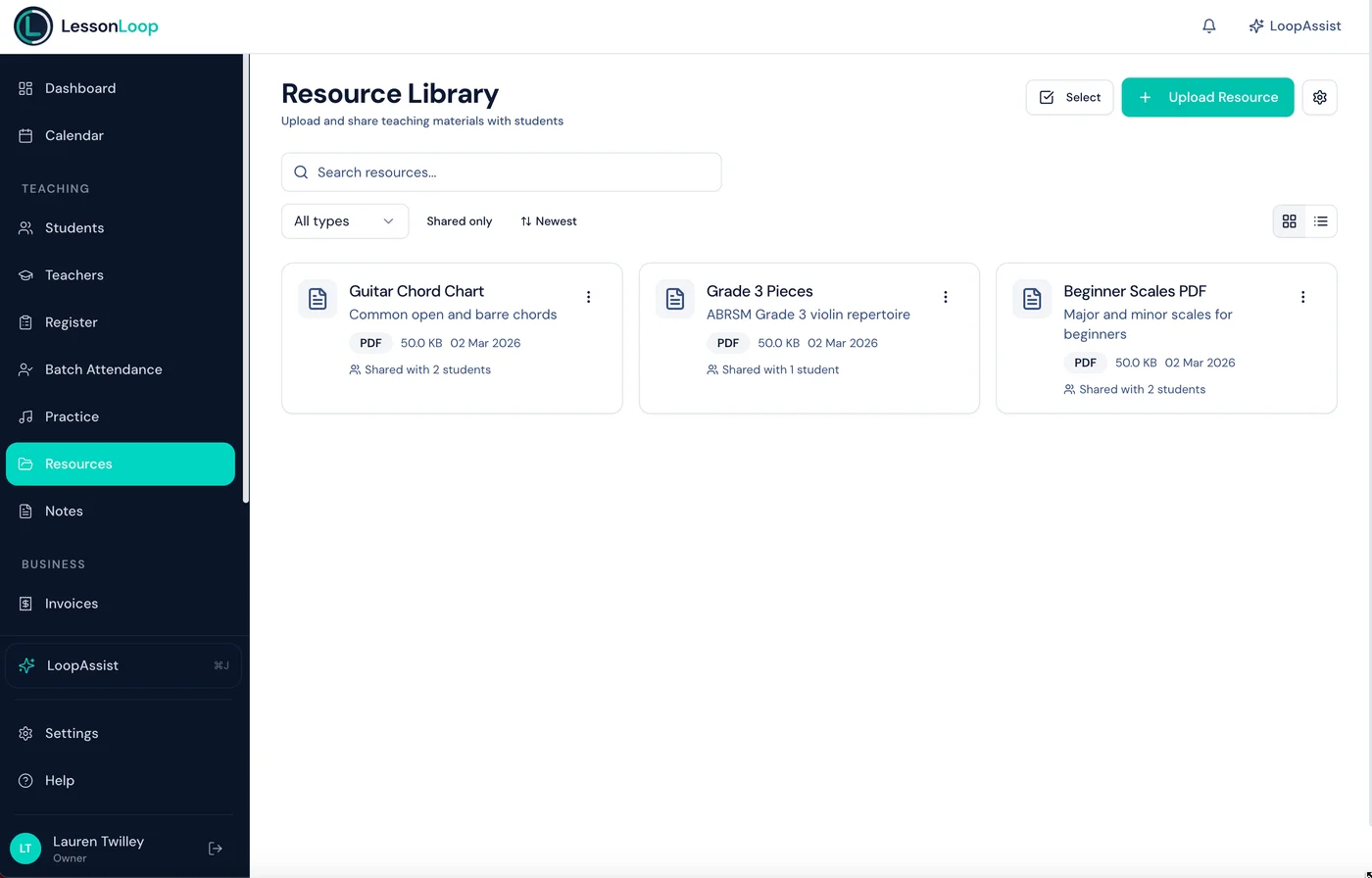
Upload once, tag by instrument and level, share with students instantly. Materials appear in the parent portal — no more email attachments.
The Problem
Teaching materials shouldn't live in email attachments
Files scattered across email, Google Drive, WhatsApp, and USB sticks. Students lose them. You re-send them. Repeatedly.
Files everywhere
Sheet music in email, recordings on WhatsApp, worksheets on a USB. Nothing is in one place.
Re-sending constantly
"Can you send that piece again?" — the most common parent message. You dig through old emails every time.
Can't find what you need
Hundreds of files with no organisation. Finding the right piece for the right student takes too long.
The Solution
A resource library built for music teachers
Upload once, organise by instrument and level, share with students instantly. Materials appear in the parent portal.
Drag-and-drop uploads
Upload PDFs, images, audio, and documents in seconds. Drag files straight into your library.
Instrument & level tags
Tag resources by instrument, grade level, or custom categories. Filter and search across your entire library.
Share with students
Assign resources to individual students or groups. Files appear instantly in the parent portal.
Parent portal downloads
Students and parents download resources anytime from the portal. No more re-sending attachments.
Built for music teachers
Designed for the file types you actually use — sheet music PDFs, practice recordings, worksheets.
Secure & scoped
Files stored securely with access controls. Students only see resources shared with them.
Custom categories
Organise your resource library with custom categories specific to your school — by instrument, grade, lesson type, or anything else. Storage quota scales with your subscription plan.
Sharing
Share resources with students in two clicks
Select a file, pick the students, and hit share. The resource appears instantly in their parent portal — tagged, organised, and downloadable.
Share Resource
Prelude in C Major.pdf → Select students
Prelude in C Major.pdf
Piano · Grade 5 · 1.2 MB
Emma W.
Piano
Oliver P.
Piano
Sophia T.
Violin
James R.
Guitar
Resources shared in seconds
Upload files
Drag and drop your teaching materials. Tag by instrument, level, or custom category.
Assign to students
Share resources with individual students or groups. They appear in the parent portal immediately.
Students access anytime
Students and parents download materials from the portal. No more email attachments or lost files.
Works hand-in-hand with
Frequently asked questions
What file types can I upload?
Can students access resources from the portal?
Can I organise resources by instrument or level?
Is there a file size or storage limit?
Can multiple teachers share resources?
Stop re-sending files. Start sharing smarter.
Upload, organise, and share teaching materials with students — all from one platform, accessible through the parent portal.