Attendance tracking that takes seconds
One-tap marking, automatic make-up credits, parent absence notifications, and attendance reports — so you spend less time on admin and more time teaching.
Attendance shouldn't be guesswork
Paper registers, forgotten marks, and no way to spot patterns — attendance tracking is either painful or non-existent.
Paper registers get lost
Scribbled notes, half-filled spreadsheets, and no backup. One lost register and you've lost a term of data.
No time to mark properly
Between back-to-back lessons, marking attendance feels like one more thing you don't have time for.
Patterns go unnoticed
A student missing every other week? A teacher with rising cancellations? You'd never know without reports.
Attendance designed for music teachers
Every feature built around how registers, absences, and make-ups actually work in music education.
One-tap marking
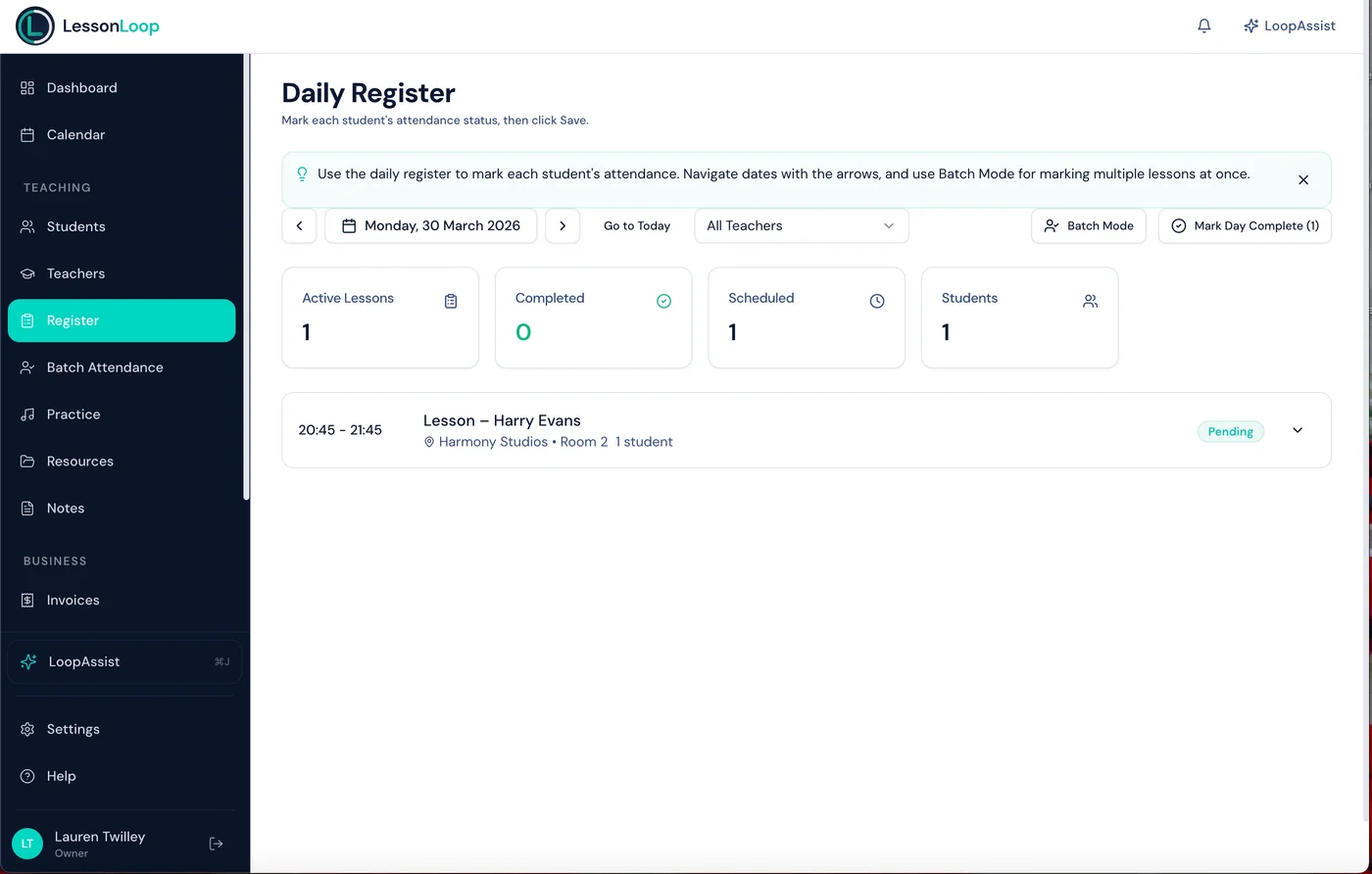
Open the register, tap present or absent. Done. Works on phone, tablet, or desktop between lessons.
Absence categorisation
Mark absences as sick, holiday, no-show, or teacher-cancelled. Each type has different billing and credit implications.
Parent notifications
Parents are notified automatically when their child is marked absent. No awkward phone calls needed.
Attendance reports
Per-student, per-teacher, and per-instrument trends. Spot patterns before they become problems.
Batch attendance
Mark attendance for group lessons or a full day in one go. Perfect for busy teaching days.
Audit trail
Every attendance mark is timestamped and linked to the teacher who recorded it. Full accountability.
Register-to-note
Add a quick note when marking attendance — what was covered, what to work on next time.
Automatic absence alerts
Get notified when a student's attendance drops below a threshold you set.
Make-up credit auto-issue
Eligible absences automatically generate make-up credits. Parents see credits in their portal.
Cancellations handled automatically
When a student cancels with enough notice, LessonLoop issues a make-up credit automatically. Parents see it in their portal and can book a replacement lesson.
See how scheduling works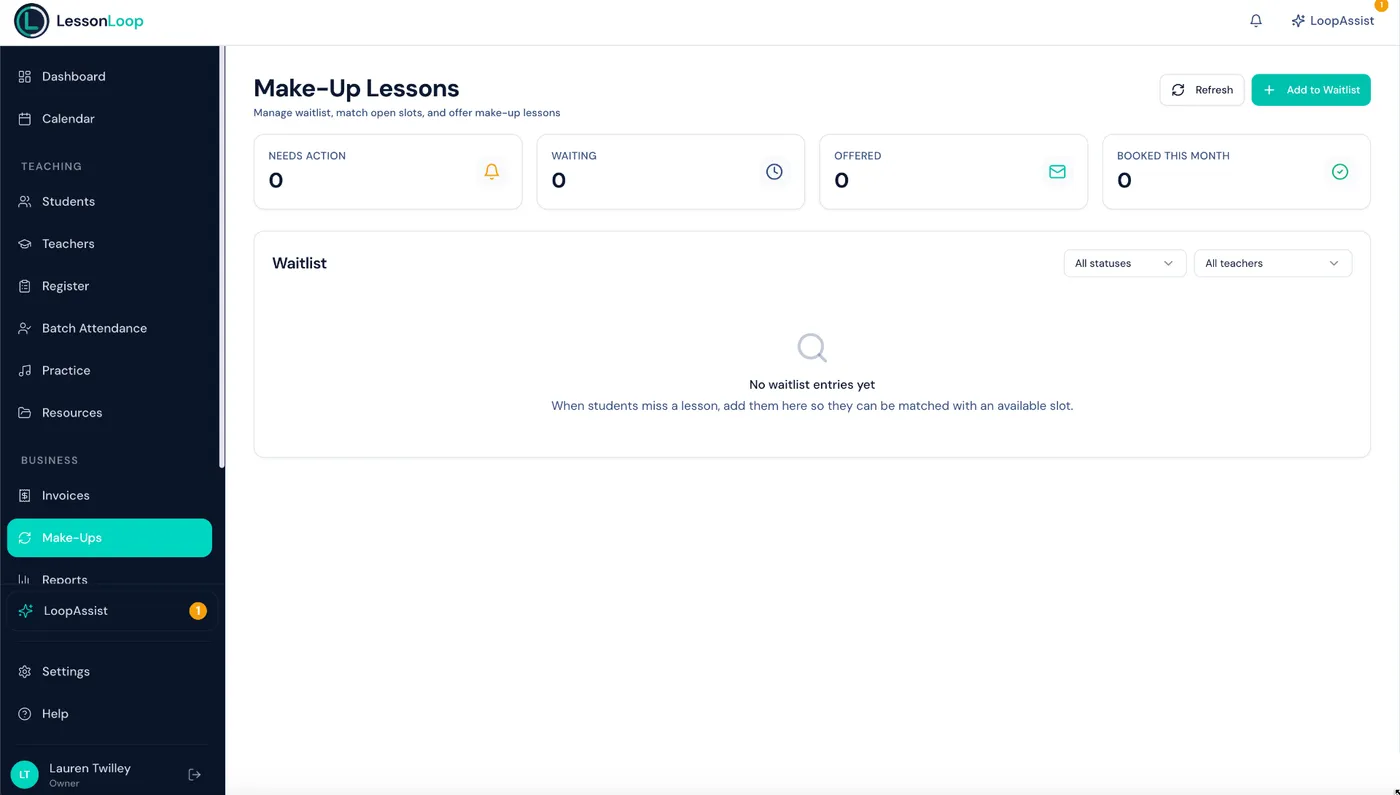
Up and running in minutes
Open the register
Your daily register shows every lesson for today with student names and lesson details.
Mark in one tap
Tap to mark attendance. Add a category for absences. Notes are optional but encouraged.
Credits & notifications handled
Make-up credits issued, parents notified, reports updated — all without you lifting a finger.
Works hand-in-hand with
Scheduling
Drag-and-drop calendar with recurring lessons, conflict detection, and term date support.
Explore schedulingStudents
Student profiles, progress tracking, and lesson history — all linked to their attendance record.
Explore studentsParent Portal
Parents view attendance records, make-up credits, and book replacement lessons — all from their own portal.
Explore parent portalFrequently asked questions
How does one-tap marking work?
Can I categorise absences?
Are parents notified automatically?
How do make-up credits work?
Can I mark attendance for group lessons?
Can I see attendance trends?
Attendance that runs itself.
One-tap marking, automatic credits, and parent notifications — attendance tracking that actually saves you time.