Your teaching week, beautifully organised
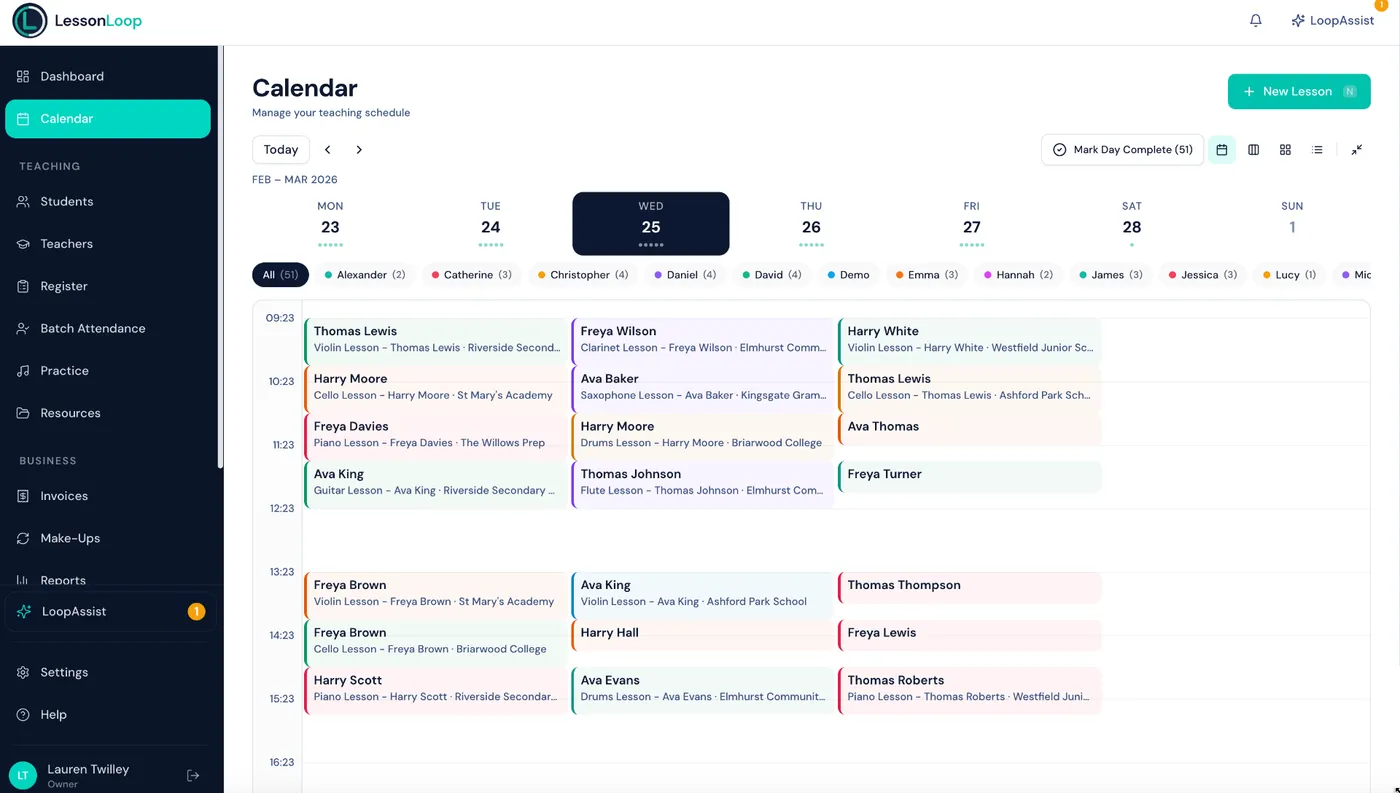
A drag-and-drop calendar built for the way music teachers really work — with recurring lessons, real-time conflict detection, and full UK term date support.
Scheduling shouldn't be your second job
Most calendar tools weren't designed for music teaching. You end up working around them instead of with them.
Double bookings & conflicts
Generic calendars can't check teacher availability, room capacity, and student clashes at the same time. Mistakes slip through.
Hours lost to admin
Manually creating lessons one by one, copying timetables term after term, and chasing parents about changes eats into your teaching time.
Term dates are manual
Half-terms, bank holidays, and closure dates all need to be tracked separately. One missed date means lessons scheduled when nobody's there.
A calendar designed for music teachers
Every feature built around how lessons, terms, and timetables actually work in music education.
Drag-and-drop rescheduling
Move lessons with a single drag. LessonLoop checks for conflicts and notifies parents automatically.
Smart recurring lessons
Create a lesson once and generate every occurrence across the term. Holidays and closures are skipped automatically.
7-point conflict detection
Checks teacher, student, room, instrument, location, break times, and closure dates before every save.
UK term date engine
Define your own terms, half-terms, and bank holidays. Recurring lessons respect every closure date you set.
Multi-location & rooms
Manage multiple venues, each with their own rooms, hours, and closures. Switch between them in one view.
Google Calendar sync
Two-way sync keeps your personal and teaching calendars aligned. Changes flow automatically in both directions.
Bulk operations
Reschedule, cancel, or update dozens of lessons at once. Perfect for term transitions and timetable changes.
Slot generator
Define a time range, duration, and instrument — then generate dozens of recurring lesson slots in seconds.
Online lessons with Zoom
Mark any lesson as online and a Zoom meeting link is generated automatically. Parents receive the link with their notification.
The calendar your music school deserves
Up and running in minutes
Set your availability
Define your teaching hours, locations, rooms, and term dates. LessonLoop uses this to prevent conflicts before they happen.
Create your lessons
Add lessons one at a time or use the slot generator to build an entire term's timetable in seconds. Recurring lessons are generated automatically.
Teach with confidence
Drag-and-drop to reschedule, bulk-edit when plans change, and let parents self-manage bookings through the portal. Your calendar stays perfect.
Works hand-in-hand with
Billing
Invoices generated directly from your lesson schedule. Change a lesson, the invoice updates automatically.
Explore billingTeachers
Manage teacher availability, working hours, and payroll directly from the schedule. Every lesson links to its teacher.
Explore teachersLoopAssist AI
Ask LoopAssist to reschedule lessons, find open slots, or generate reports — all from a simple chat interface.
Explore LoopAssistFrequently asked questions
Can I set up recurring weekly lessons?
Does LessonLoop detect scheduling conflicts?
Can I manage multiple locations?
How does Google Calendar sync work?
Can I create multiple lesson slots at once?
How many conflict checks does LessonLoop run?
Does LessonLoop support online lessons?
Your calendar, sorted.
Drag-and-drop scheduling, conflict detection, and term date support — built for how music teachers actually work.