Keep parents in the loop without the chaos
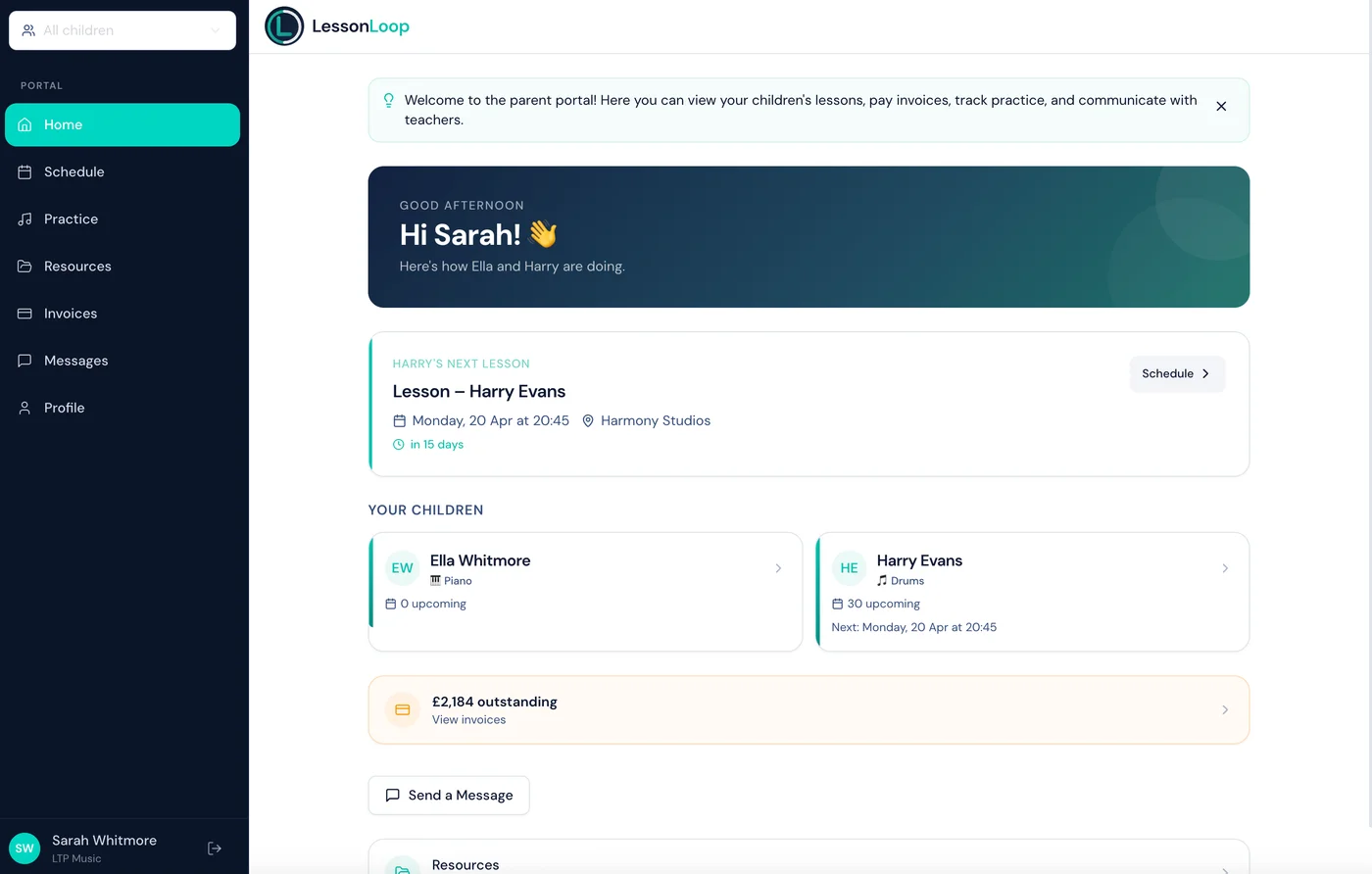
A secure portal where parents view lessons, pay invoices, track practice, and message teachers — all without a single WhatsApp group.
Communication chaos costs you hours every week
WhatsApp messages at 10pm, lost emails, payment confusion — parents deserve better, and so do you.
Communication scattered everywhere
Messages across WhatsApp, email, text, and verbal. Important updates get buried, and you lose track of who knows what.
Parents can't find their invoices
Re-sending the same PDF three times, explaining what's outstanding, answering 'have I paid?' — every single term.
Endless back-and-forth
Questions about lesson times, practice, and payments — all answered individually, over and over, week after week.
One portal for everything parents need
Give parents a single, secure place to stay informed — and take the pressure off your inbox.
Lesson schedule at a glance
Parents see all upcoming lessons, past attendance, and any schedule changes — always current, always accurate.
Invoices & online payment
View invoices, check payment status, and pay online with Stripe. No more chasing or re-sending PDFs.
Practice tracking
Students and parents see practice assignments, log time, and track progress between lessons.
Smart notifications
Automatic alerts for lesson changes, new invoices, and practice reminders. Parents stay informed without you lifting a finger.
Built-in messaging
Professional, threaded messaging between parents and teachers. Everything in one place, not scattered across apps.
Secure & private by design
Each parent sees only their own children. Email-verified logins and row-level security keep every byte of data safe.
Reschedule & cancel requests
Parents can request lesson reschedules or cancellations directly from the portal. They submit a reason and preferred alternative time. Requests appear as pending notifications for admin to approve, decline, or suggest an alternative — with automatic parent notification on the outcome.
Term continuation
At the end of each term, parents receive a continuation offer via the portal and email. They can accept to re-enrol for next term, or withdraw with an optional reason and notes. Admins see all responses at a glance and materialise new recurring lessons for confirmed students.
Practice goal ring
A visual progress ring in the portal shows weekly practice target completion in real-time. Students and parents see exactly how close they are to the weekly goal as practice is logged throughout the week.
Make-up credit visibility
Parents see their available make-up credits, expiry dates, and can accept offered make-up slots directly from the portal. Full transparency on what’s owed and when credits expire.
Branded invitations
Portal invitation emails use your organisation’s logo and accent colour. Parents receive a professional, branded email with a one-click link to create their account — no app download needed.
Parents up and running in minutes
Invite parents by email
Add a guardian to a student profile and hit invite. They receive a secure link to set up their account.
Parents sign in from any device
No app to install. Works in Safari, Chrome, any browser — desktop or mobile. One tap and they're in.
Everything they need, one place
Lessons, invoices, practice, messages. Parents stop asking, and you stop repeating yourself.
Frequently asked questions
Everything you need to know about the parent portal and family access.
What can parents see in the portal?
Parents can view upcoming lessons, attendance history, invoices, payment status, practice assignments, and messages from teachers.
Can parents pay invoices through the portal?
Yes. Parents can view invoice details and make payments directly through the portal if Stripe is connected.
Is the parent portal secure?
Absolutely. Each parent has their own login. Row-level security ensures they only see data for their own children.
Can parents message teachers?
Yes. Built-in messaging keeps communication professional and in one place — no more scattered WhatsApp threads.
How do parents get access?
You invite parents by email. They receive a secure link, set a password, and are connected to their child's profile instantly.
Can parents request reschedules from the portal?
Yes — parents submit a reschedule or cancellation request with a reason and preferred time. You approve or decline with one click.
How does term continuation work for parents?
Parents receive an offer to continue into the next term. They accept or withdraw from the portal — you see all responses and generate lessons for confirmed students.
Works beautifully with
Give parents the experience they deserve. You'll love it too.
A professional parent portal that saves you hours of messaging, chasing, and explaining. Built into every LessonLoop plan.
No credit card required · 30-day free trial · Cancel anytime