Multiple locations, one platform
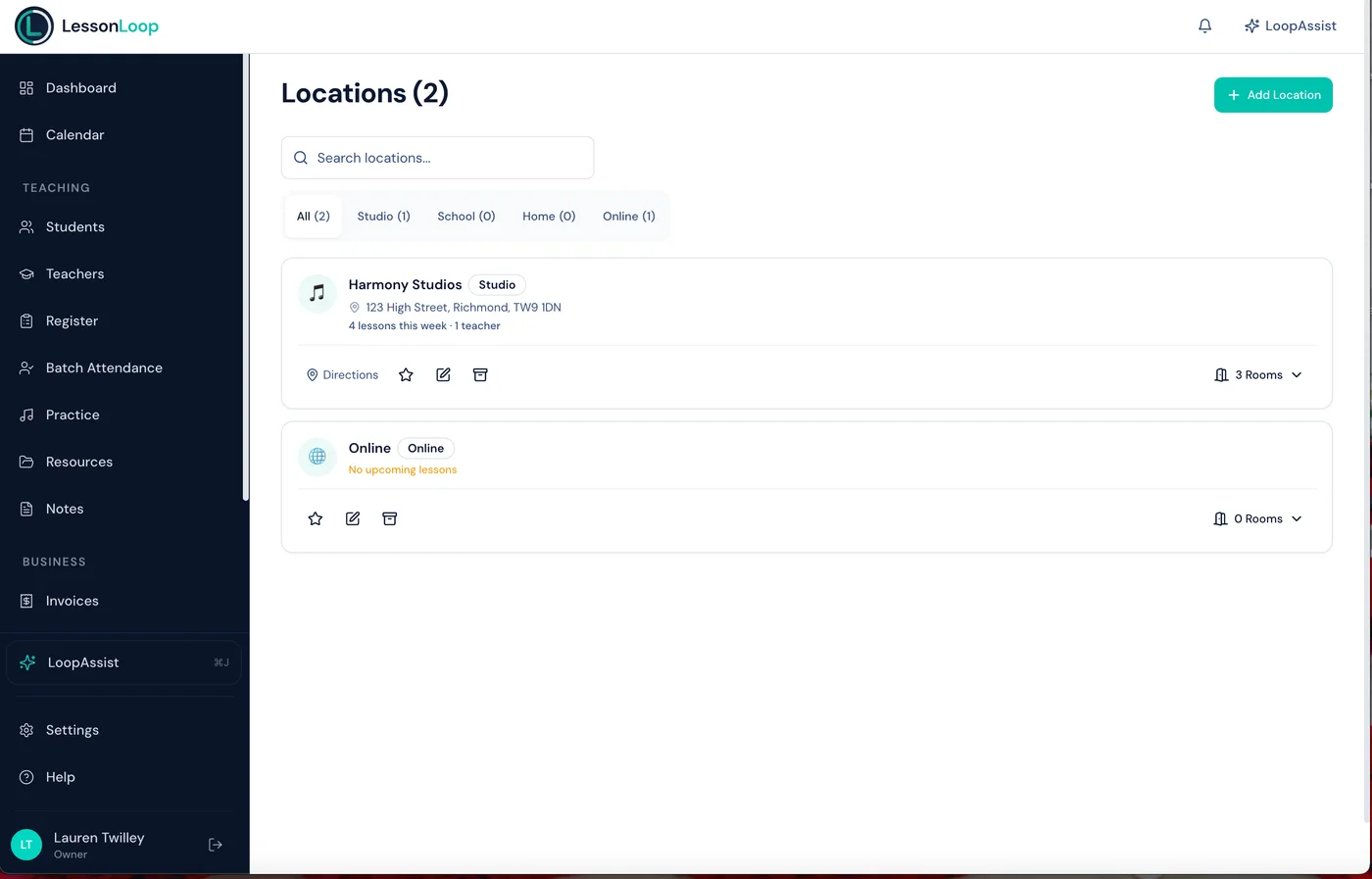
Manage every teaching venue, room, and availability window in one place. Closure dates, room capacity, and teacher assignments — all connected to your calendar.
The Problem
Growing locations means growing complexity
More venues, more rooms, more scheduling clashes. Without structure, expansion becomes chaos.
Room double-bookings
Two teachers scheduled in the same room at the same time. It happens more than you'd like.
Closure dates are manual
One venue closed for maintenance, another open as normal. Tracking which closures apply where is error-prone.
No overview across locations
You can't see what's happening at each venue without checking multiple spreadsheets or calendars.
The Solution
Locations and rooms built into the scheduler
Every location, room, and availability window is connected to the calendar. The system prevents conflicts automatically.
Multiple locations
Add as many teaching venues as you need. Each has its own address, contact details, and settings.
Room management
Create rooms within each location. Set capacity, availability windows, and equipment lists.
Location-specific closures
Set closure dates per location or across the whole organisation. Lessons skip closures automatically.
Teacher assignment
Assign teachers to locations. Their availability is scoped to the locations where they teach.
Cross-location visibility
Admins see all locations in one calendar view. Filter by venue, room, or teacher.
Utilisation tracking
See how much each room and location is used. Identify spare capacity or bottlenecks.
Archive locations
When a venue closes or you stop teaching there, archive it. Archived locations are hidden from new bookings but all historical lesson and billing data is preserved.
Utilisation
See where your rooms are busy and where they're free
A colour-coded heatmap shows utilisation across every room and day. Spot spare capacity, identify bottlenecks, and optimise your timetable.
Room Utilisation Heatmap
This week · All locations
Room 1 — Grand Piano
Main Studio
Studio A
Westfield
Room 3 — Ensemble
Main Studio
Music Room
St Mary's
Locations set up in minutes
Add locations
Create each teaching venue with its address and details. Add rooms within each location.
Set availability & closures
Define when each room is available and set closure dates for holidays or maintenance.
Schedule with confidence
The calendar respects room availability and prevents clashes. Lessons skip closures automatically.
Works hand-in-hand with
Frequently asked questions
Can I manage multiple teaching locations?
Can I assign teachers to specific locations?
Do rooms have their own availability?
Can I set closure dates per location?
Can I see how well my rooms are being used?
Scale to multiple locations with ease.
Rooms, availability, closure dates, and utilisation — all managed from one platform, connected to your calendar.