Manage your teaching team with clarity
Availability scheduling, payroll tracking, role-based access, and multi-location assignment — everything you need to run a team of music teachers.
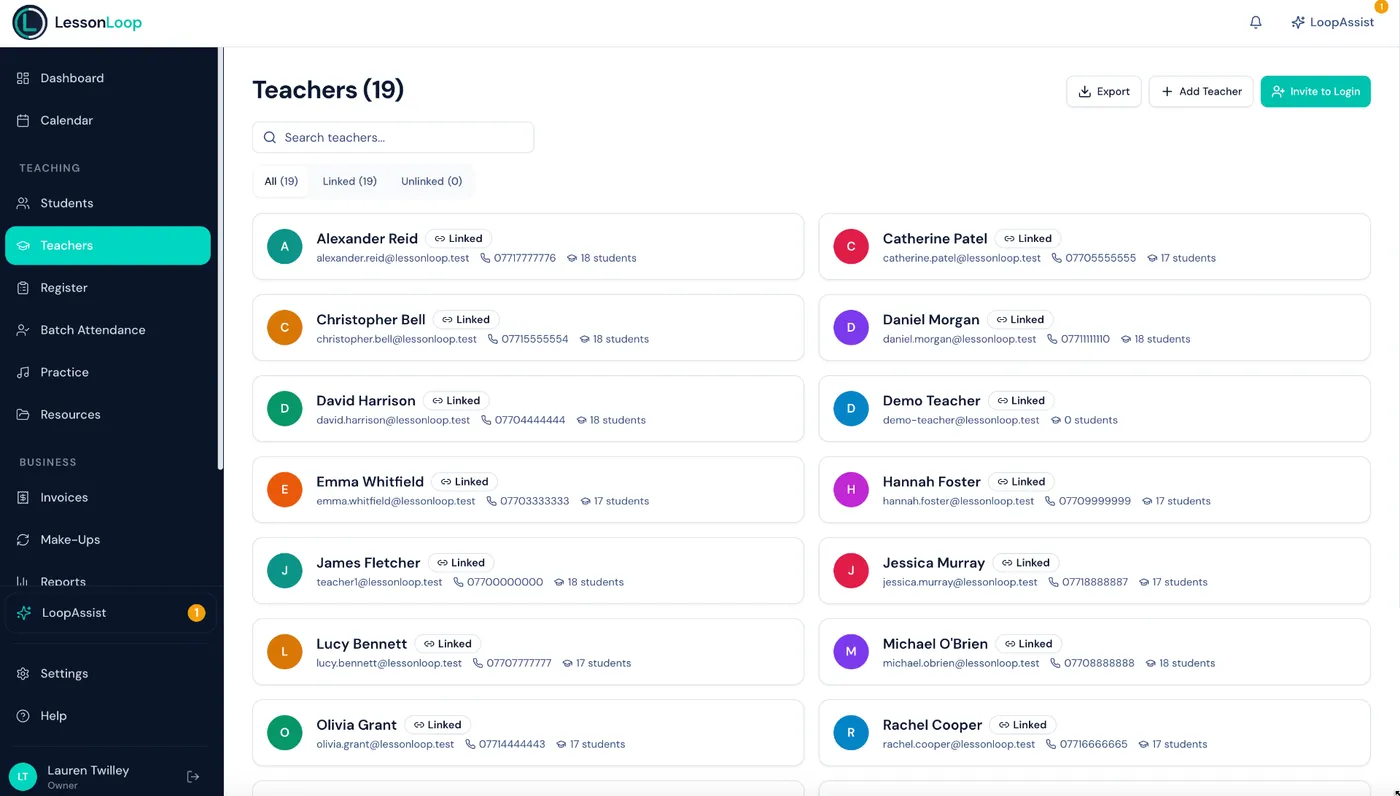
Managing teachers shouldn't mean more admin
Coordinating availability, calculating pay, and controlling access — it's a full-time job on its own.
Availability chaos
Tracking who teaches when, where, and for how long — across multiple locations — using spreadsheets or WhatsApp.
Payroll is manual
Counting lessons, calculating hours, applying different rates — all done by hand every month. Errors are inevitable.
No role separation
Teachers can see other teachers' schedules, student details, or billing info they shouldn't have access to.
A platform designed for managing teachers
Every feature built around how music schools actually manage their teaching teams.
Availability management
Teachers set weekly availability by day, time, and location. The scheduler respects these automatically.
Pay rates & payroll
Set hourly, per-lesson, or percentage-based pay rates. Payroll reports calculate earnings from delivered lessons.
Multi-location assignment
Assign teachers to one or more locations. Each location has its own rooms and availability windows.
Role-based access
Teachers see only their own students and schedule. Admins and owners see the full picture.
Instrument specialisations
Record which instruments each teacher covers. Match teachers to students by instrument and availability.
Performance insights
Track lessons delivered, cancellation rates, and utilisation per teacher. Spot trends and support your team.
Self-service availability
Teachers manage their own weekly availability blocks directly — no admin needed.
Daily teaching summary
Teachers see upcoming lessons with previous lesson notes for each student. Pick up where you left off.
Percentage-based pay
Teachers earn a percentage of the lesson fee instead of a fixed rate. Payroll handles all three types.
Teachers see theirs. Admins see everything.
Role-based access means teachers only see their own students and schedule. No accidental data exposure. No awkward billing visibility.
Explore reporting features| Feature | Teacher | Admin |
|---|---|---|
| Own schedule | ✓ | ✓ |
| Own students | ✓ | ✓ |
| Set availability | ✓ | ✓ |
| View all teachers | — | ✓ |
| Payroll reports | — | ✓ |
| Revenue reports | — | ✓ |
| Manage billing | — | ✓ |
| Invite team | — | ✓ |
Up and running in minutes
Invite teachers
Send an email invite with the teacher role. Teachers sign up and set their own availability.
one-click email inviteAssign locations & rates
Link teachers to locations, set pay rates, and assign instrument specialisations.
per-teacher configurationSchedule with confidence
Calendar respects availability, prevents conflicts, and teachers see only their own schedule.
conflicts caught automaticallyWorks hand-in-hand with
Scheduling
Calendar respects teacher availability, prevents conflicts, and handles recurring lessons automatically.
Explore schedulingBilling
Invoices generated directly from your lesson schedule. Change a lesson, the invoice updates automatically.
Explore billingLoopAssist AI
Ask LoopAssist to reschedule lessons, find open slots, or generate reports — all from a simple chat interface.
Explore LoopAssistFrequently asked questions
Can teachers set their own availability?
Can I assign teachers to specific locations?
Does LessonLoop track teacher pay?
Can teachers see only their own schedule?
Can teachers set percentage-based pay?
Can teachers manage their own availability?
Run your teaching team smoothly.
Availability, payroll, and role-based access — everything to manage a team of music teachers in one platform.