Bridge the gap between lessons
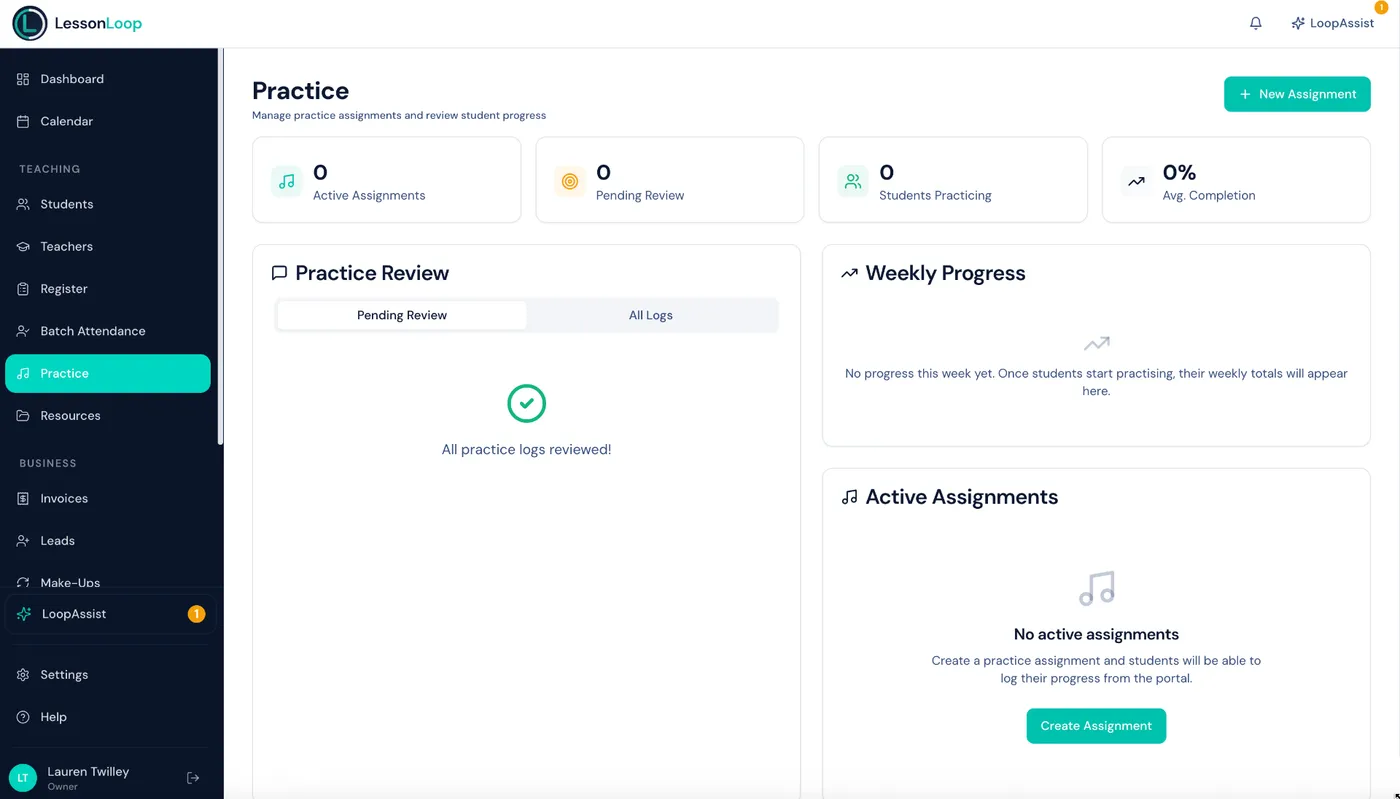
Set practice assignments, track time, and monitor progress — all built into the parent portal so students and parents stay engaged.
The Problem
What happens between lessons matters
You set homework, but have no idea if it was done. Students forget, parents don't know what to encourage, and progress stalls.
No accountability
Students forget what to practise. No record of what was assigned or completed.
No visibility for parents
Parents want to help but don't know what was assigned or how much is expected.
Progress is invisible
Without tracking, conversations about progress are based on gut feeling, not data.
The Solution
Practice tracking built for music education
Assign practice, track time, and see progress — all connected to the student profile and parent portal.
Practice assignments
Create assignments with descriptions, targets, and due dates. Students and parents see them instantly in the portal.
Practice logging
Students or parents log sessions with duration, focus area, and notes. Built right into the portal.
Streaks & progress
Practice streaks and weekly totals keep students motivated. See who's putting in the work.
Practice reminders
Automated reminders nudge students and parents about upcoming goals and incomplete assignments.
Teacher insights
Review practice logs before each lesson. Know what a student worked on and how much time they spent.
Linked to lessons
Assignments connect to lesson dates. See what was assigned after each lesson and track completion.
Weekly goal ring
Set a configurable weekly practice target in minutes. A visual progress ring in the portal fills up as practice is logged — students and parents see their percentage complete update in real-time.
Milestones & achievements
Students unlock achievement badges at key thresholds: 7-day streak, 30-day streak, 100 hours total practice, and more. Milestone celebrations appear as badges in the portal with congratulatory messages — keeping motivation high between lessons.
Smart duplicate detection
Prevents accidental double-logging within 60 seconds. If a student or parent taps 'log' twice, LessonLoop catches it silently — no duplicate entries cluttering the practice record.
The Practice Loop
A continuous cycle of improvement
Practice tracking closes the loop between lessons. Every lesson informs practice, and every practice session informs the next lesson.
Lesson
Teacher assigns practice
Practice
Student logs at home
Review
Teacher checks progress
Adjust
Tailor the next lesson
Practice tracking made simple
Set assignments
After a lesson, create a practice assignment with what to practise, how long, and when it's due.
Students log practice
Students or parents log sessions in the portal — duration, focus area, and notes.
Review before teaching
See the practice log before the next lesson. Know exactly what was done and adjust your plan.
Works hand-in-hand with
Frequently asked questions
Can students log their own practice?
Can teachers set practice assignments?
Can I see how much a student has practised?
Does practice tracking work on mobile?
Is practice tracking included in all plans?
Can I set weekly practice goals?
What milestones can students earn?
Make practice count.
Practice assignments, student logs, and progress insights — all built into the parent portal. Bridge the gap between lessons.